Profile
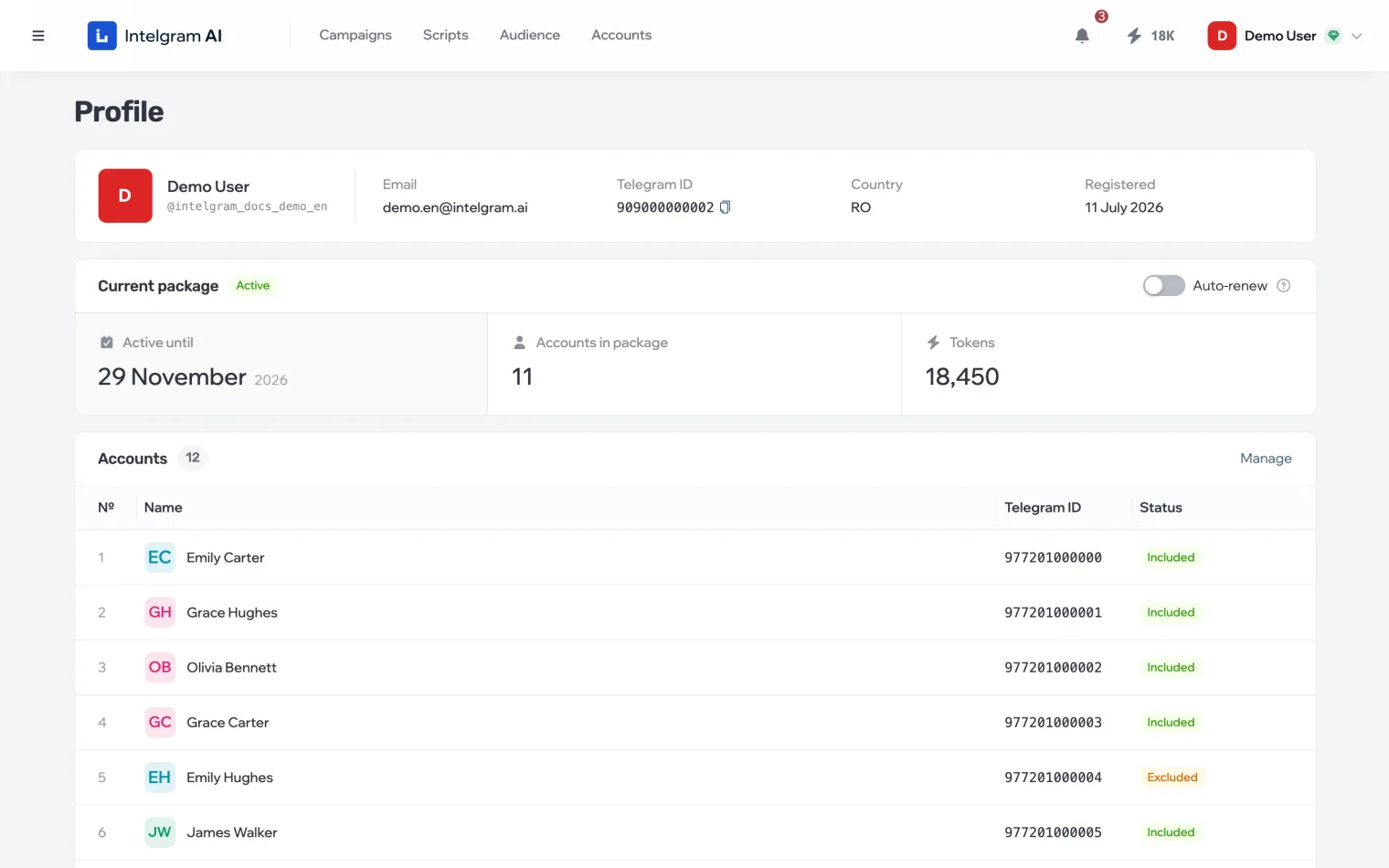
Your profile holds your details, the current package and its accounts. Your other personal sections are in the profile menu in the top right.
The profile menu
Click your name in the top right. At the top of the menu is a card with your current package level and when it’s valid until; clicking it opens Profile. Below it:
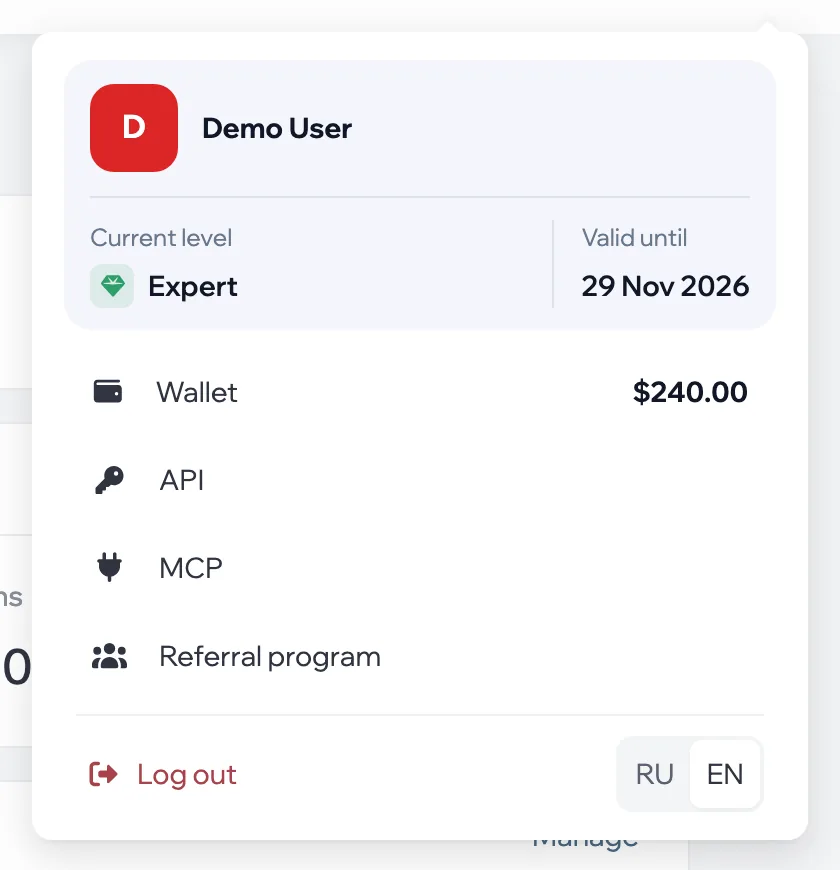
- Wallet
- Balance and operation history — Balance and payments.
- API
- API keys and documentation — API. Available after your first purchase.
- MCP
- Connecting an AI assistant — AI assistants.
- Referral program
- Links and rewards — Referral program.
- Language
- The dashboard interface language.
Profile details
At the top of the page are your name, email, Telegram ID, country and sign-up date. The country determines which payment methods are available.
Package and accounts
The Current package block shows the package status, when it’s active until, how many accounts and tokens it has, and the auto-renew switch. Below are the package’s accounts: which are included in the next period and which are excluded. How to renew the package and exclude an account is in Buy more and renew.