How a campaign works
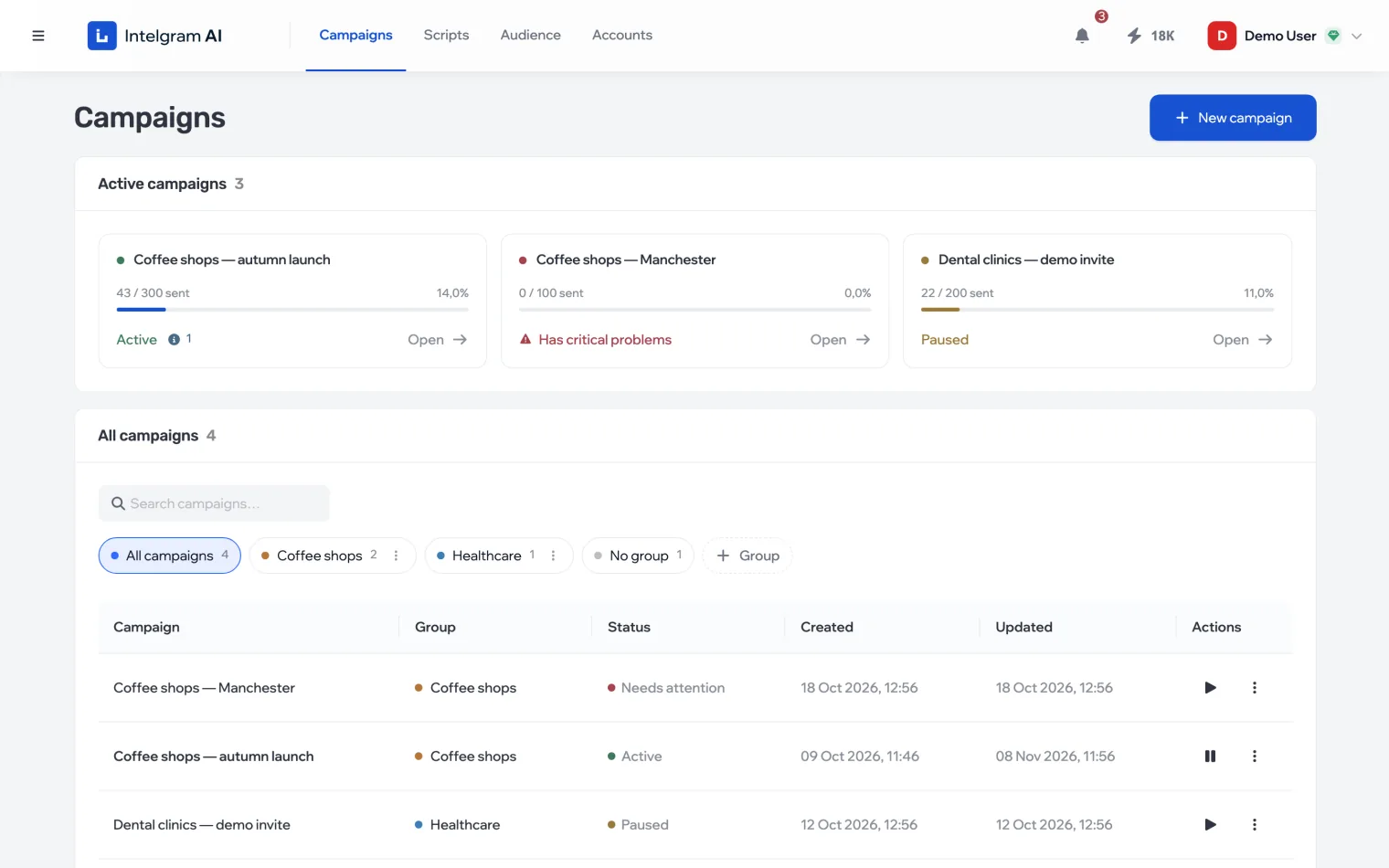
A campaign is outreach that runs the dialogs itself: it writes to people from a list on behalf of your accounts, replies and follows up according to the script, during the hours you set.
What it’s built from
- ScriptWhat to write and how to reply
- AudienceWho to message
- AccountsOn whose behalf
- ScheduleWhen and how many per day
Without any of the first three, the campaign won’t start — the audit shows what’s missing.
Statuses
| Status | Meaning |
|---|---|
| Active | The campaign is running |
| Paused | Takes no new people; dialogs already started continue |
| Needs attention | Started but can’t work: there’s a critical problem |
| Stopped | Does nothing until it’s started again |
At the top of the section are cards for the running campaigns: how many messages have been sent out of the limit and whether there are problems.
Campaign tabs
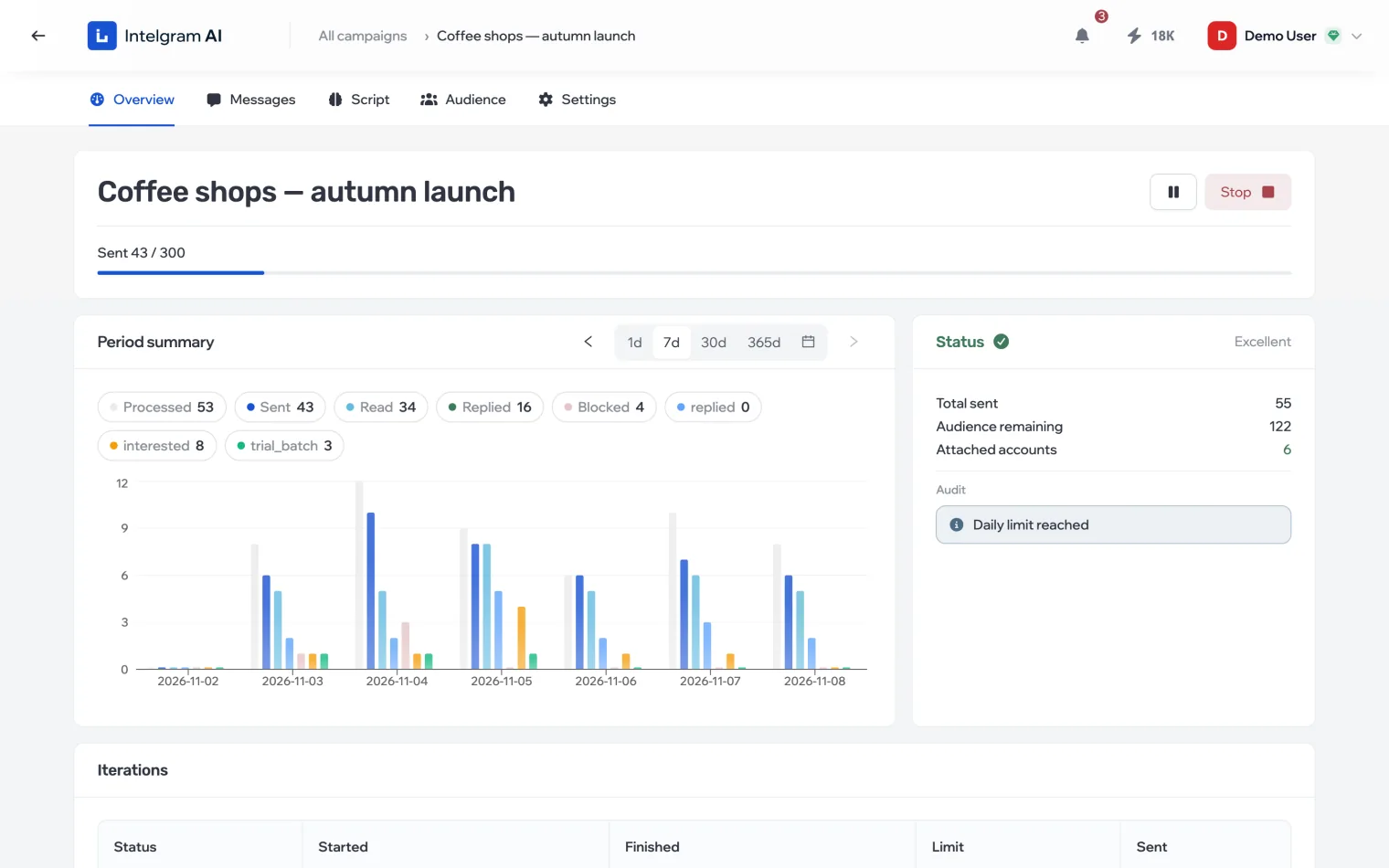
- Overview
- Progress, the period summary, status, audit and launch history.
- Messages
- All of the campaign’s dialogs — read them and reply by hand.
- Script
- Which script is connected, and a test chat on it.
- Audience
- The campaign’s list and each person’s status in it.
- Settings
- Name, notifications, schedule, accounts, shared access and deletion.