Organize into groups
A campaign group is your own color-coded label: by niche, client or line of business. Groups make the campaign list easy to browse.

Create a group
- Above the campaign table, click Group with the plus sign.
- Enter a name, pick a color and click Create.
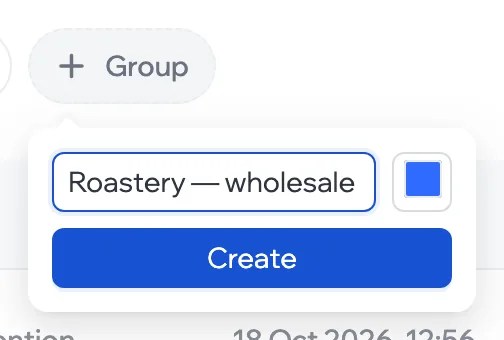
You can have up to 50 groups, and names must be unique.
Put a campaign in a group
The group is chosen when you create the campaign. A campaign has one group.
View a group
Click a group above the table and only its campaigns stay. All campaigns brings back the whole list; No group shows the campaigns that aren’t in any group.
Rename or delete
Click the three dots next to a group: change the name or color and click Save — or delete the group. Campaigns from a deleted group stay, just without a group.