How a script works
A script is the scenario a campaign follows in a dialog: what to write first, how to reply and when to follow up.
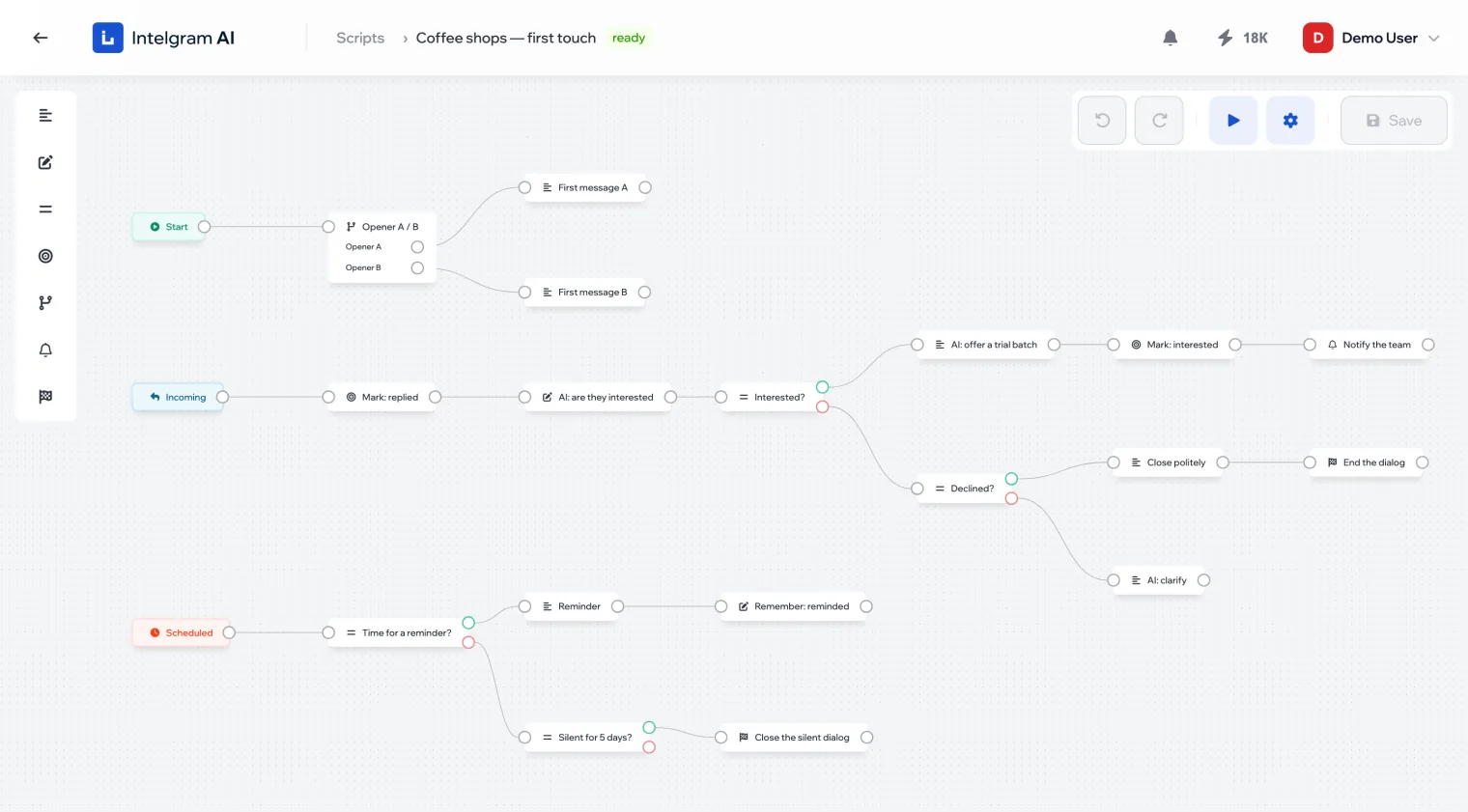
Blocks and links
A script is built from blocks connected by arrows. The dialog moves along the arrows from left to right: a block does its job and hands over to the next one. There are seven blocks, and the panel in the top left lists them in this order:
| Block | What it does |
|---|---|
| Send message | Sends the person a ready-made text or a text written by AI |
| Set variable | Remembers a value — typed in or found by AI |
| Condition | Splits the dialog: a “met” output and a “not met” output |
| Set conversion | Marks that the dialog has reached a stage |
| A/B test | Randomly splits people into variants in set shares |
| Send notification | Writes to your team instead of the person |
| Finish dialog | Stops replying to this person |
Three entry points
Each branch starts with a trigger. Every script has all three, and they can’t be deleted.
- Start
- The first message to the person.
- Incoming
- Fires on every reply from the person.
- Scheduled
- Fires once an hour — for following up on people who stay silent.
Ready or not ready
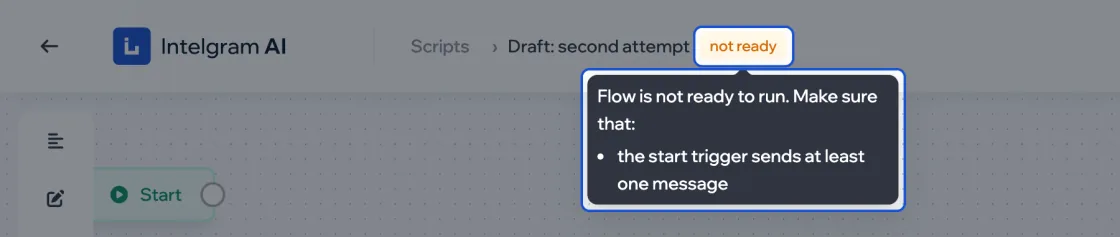
Next to the script’s name there’s a ready or not ready label. A campaign with a script that isn’t ready won’t start. A script is ready when the Start branch sends at least one message and the texts have no broken [if] tags — the editor underlines those in red.
Scripts and campaigns
A campaign runs all its dialogs on one script. One script can be connected to several campaigns — the Campaigns column in the script list shows which.