Test a script
The sandbox runs a dialog on your script without a campaign and without messaging anyone: you reply on behalf of the other person and watch what the script does.
Open the sandbox
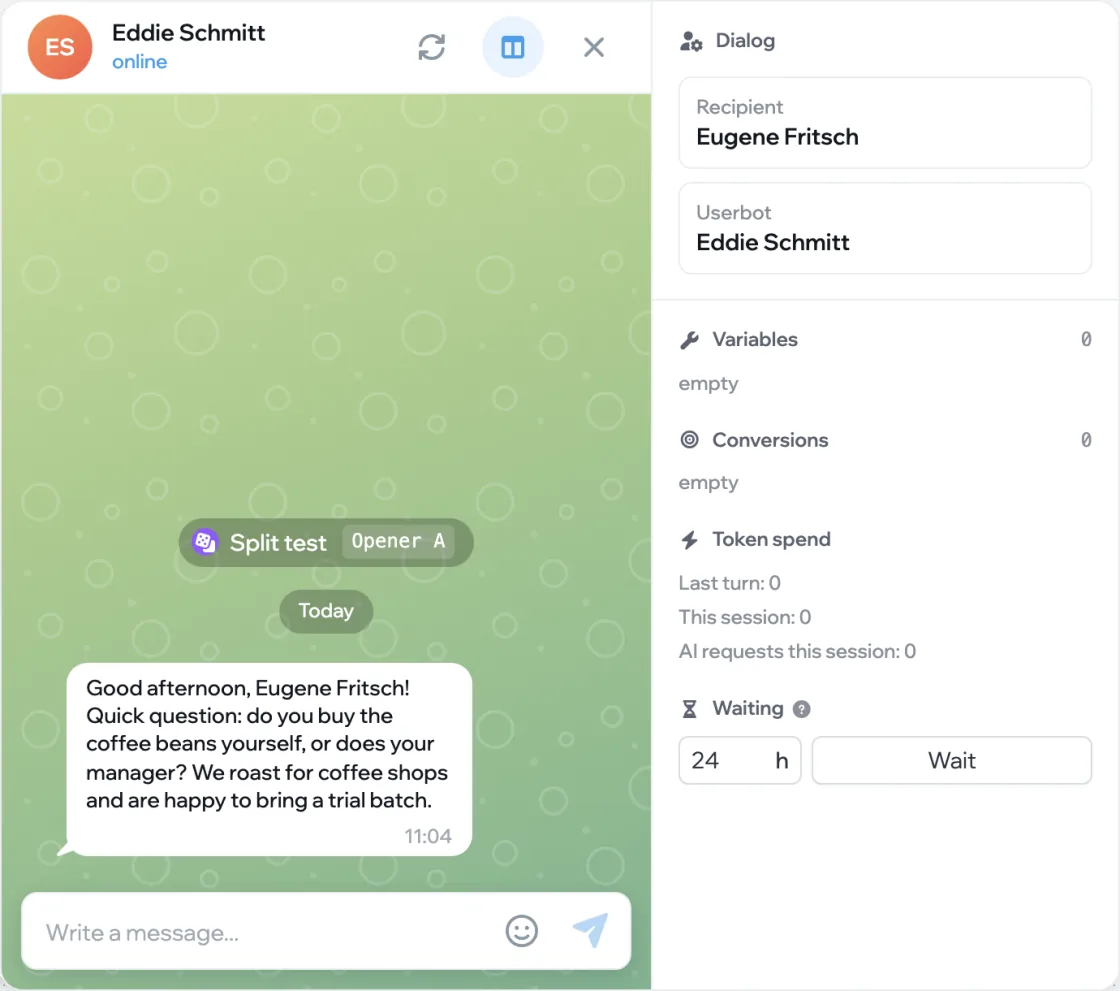
In the editor, click Test — the triangle button in the top right. The sandbox opens: the chat on the left, the state panel on the right. The script sends its first message right away.
Set the participants
The Dialog block on the panel holds the Recipient and the Userbot — the account the messages come from. Click a card to change the name, username, bio and phone number, or click Generate random. This shows how placeholders and conditional text work.
Reply as the other person
Type a reply in the field at the bottom of the chat — the script runs the Incoming branch. Replies you send are kept in Quick replies on the panel, so next time you can send them with one click.
Fast-forward the silence
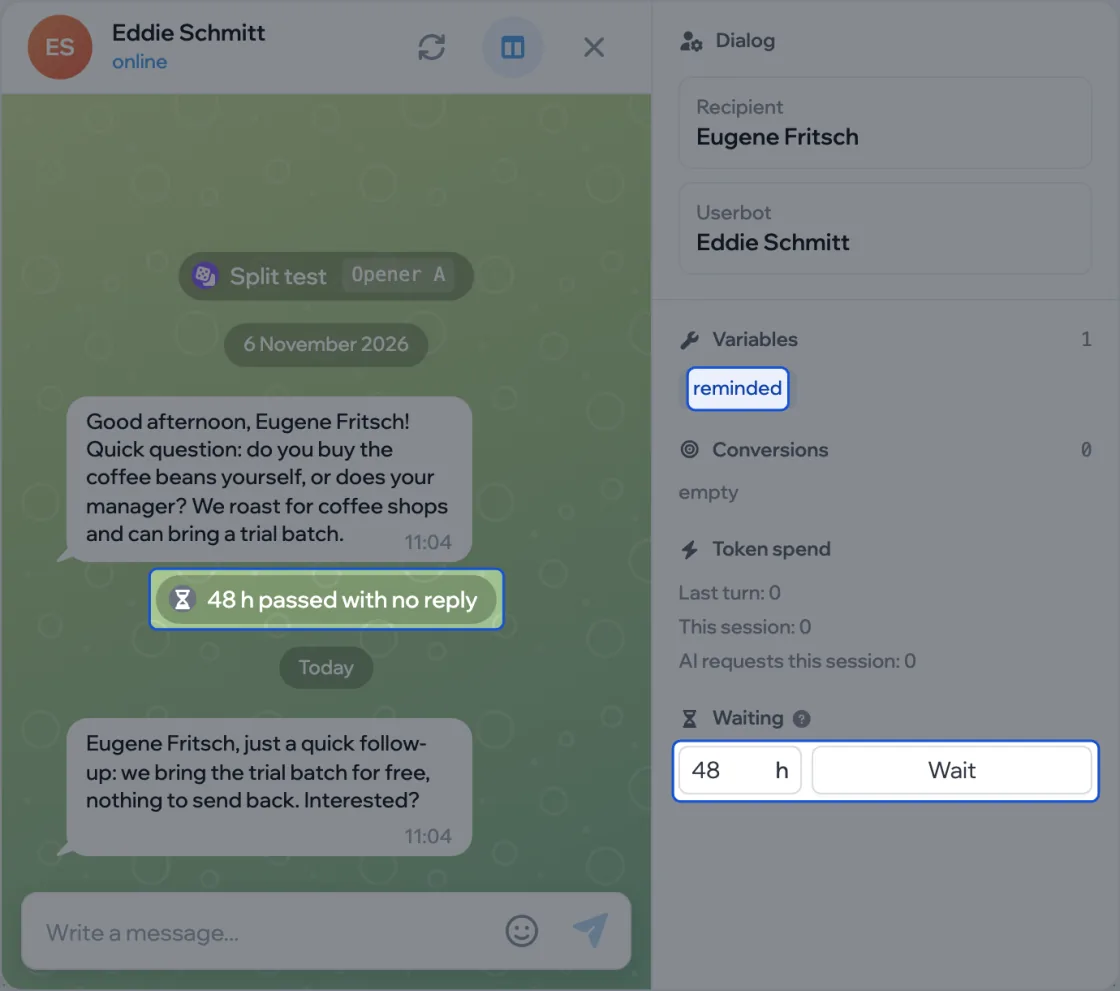
To test follow-ups, enter a number of hours under Waiting and click Wait: the conversation shifts back in time and the Scheduled branch runs.
Watch the state
The panel shows the dialog’s Variables and Conversions. The chat feed shows events: which A/B variant came up, whether a notification went out, how many hours were skipped, whether the dialog finished.
The Restart button in the chat header starts the dialog over, and State panel next to it hides and shows the panel.