Branch the dialog
Different replies for different reactions, and testing two openers on the same audience.
Reply to a reply
Every reply from the person starts the Incoming branch. Put everything that should happen after a reply there.
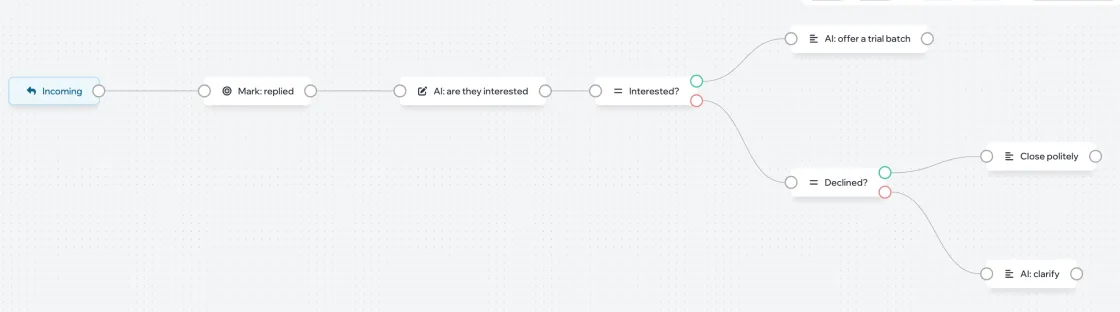
A variable and a Condition help sort replies by meaning: AI decides whether the person is interested, and the condition sends the dialog to the right branch. How to set them up is in Variables and conditions.
Run an A/B test
- Add an A/B test block. Set the variants and their shares in percent — Add test adds another variant.
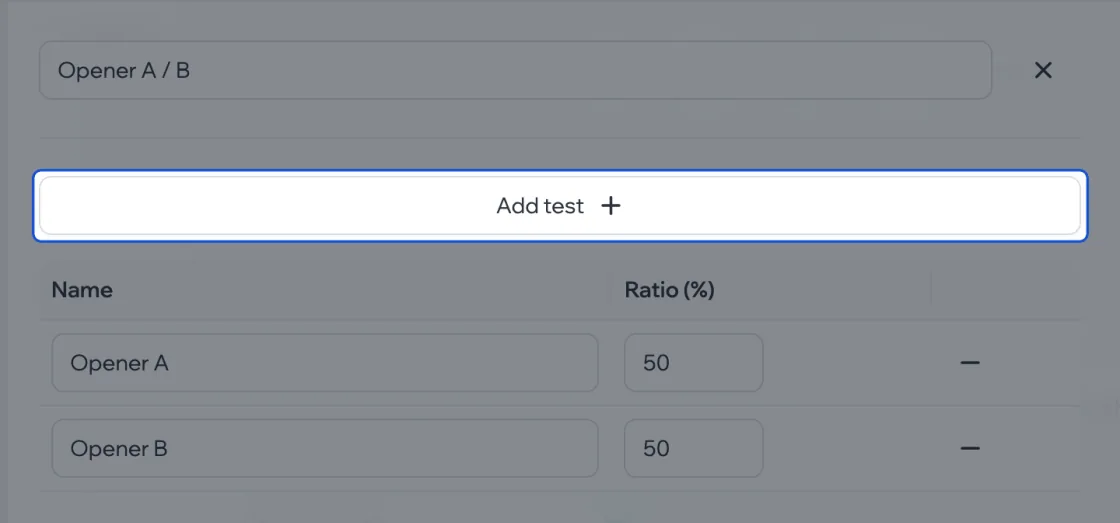
- Connect each variant’s output to its own message. Each person lands in one variant at random, according to the shares.
The campaign’s conversions show which variant works better.
Call your team
The Send notification block writes to you instead of the person: to the bot and the bell. Put it where it’s time for a human to step in — for example, after an “interested” reply. The notification goes to campaign members who have Notifications turned on on its page.
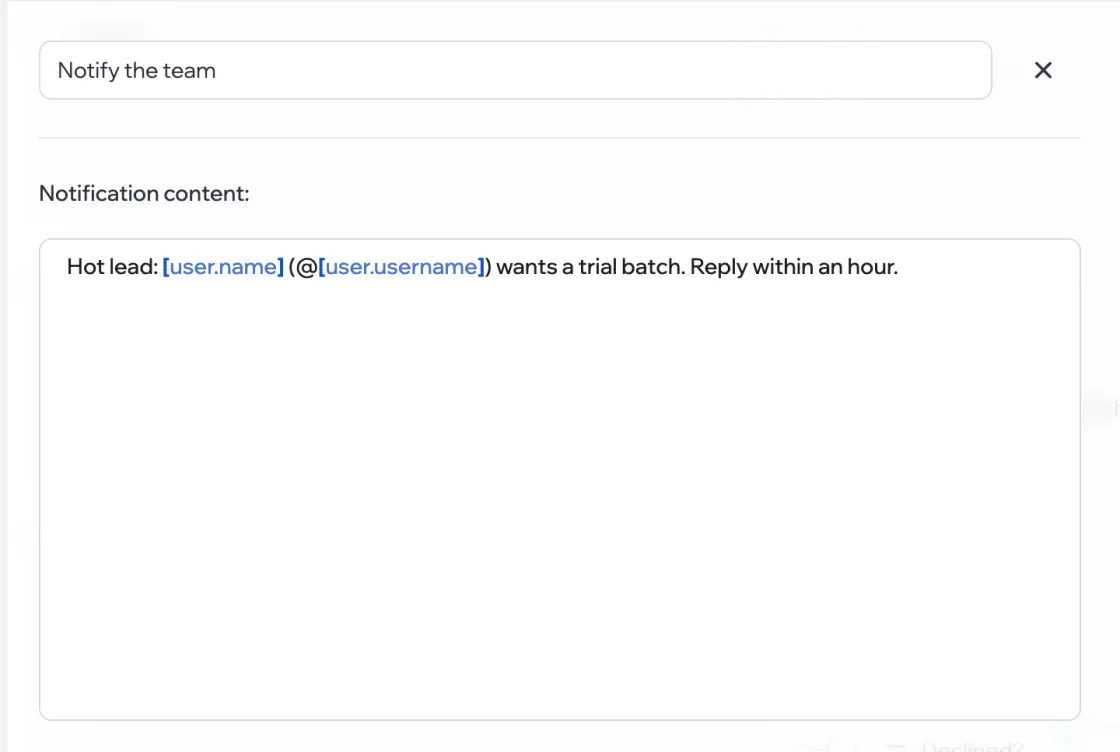
Placeholders work in the notification text: [user.name], [user.username], variables.
End the dialog
The Finish dialog block closes the conversation: the person’s replies are no longer processed and follow-ups don’t run. Put it at the end of the refusal branch and wherever the silence has gone on too long.