How the AI assistant works
The AI assistant is Claude or ChatGPT connected to your dashboard. You describe the task in plain words, and it builds the script, tags the audience or sets up the campaign itself — with the same actions that are available in the dashboard.
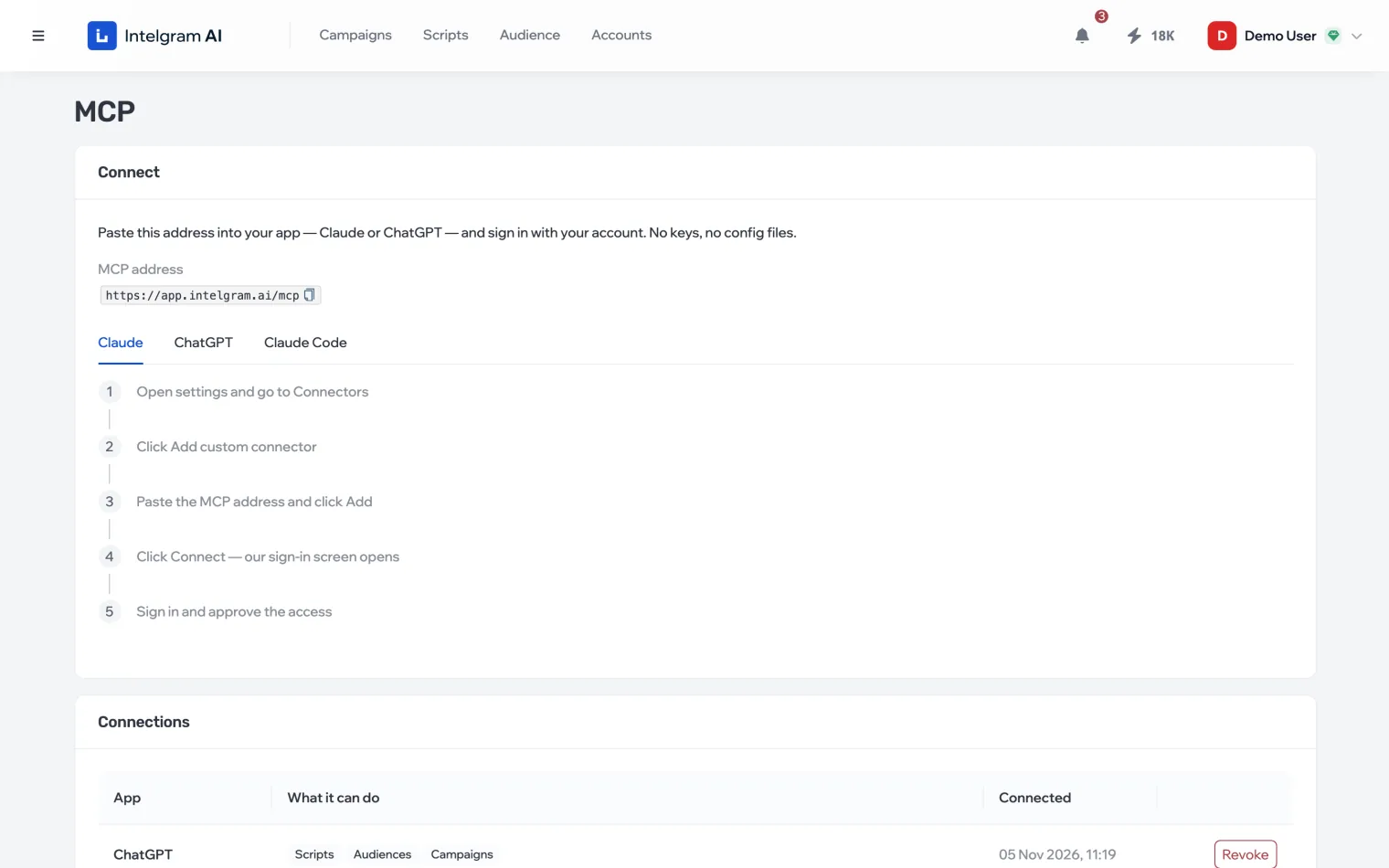
What MCP is
MCP is an open way to connect outside services to an AI assistant. You add the dashboard’s address to your app once and sign in with your account. After that the assistant sees your scripts, lists, campaigns and accounts and can work with them — within the permissions you gave it.
The section opens from the profile menu in the top right: MCP.
What the assistant can do
- Scripts
- Build a script from a brief, add branches and conditions, set up variables and conversions, run it in the sandbox, compare versions.
- Audience
- Find and rate chats, collect people from them, check them, tag them with AI-filled variables, mark the right ones.
- Campaigns
- Build a whole campaign, set up “Who to message”, show stats, find the dialogs you need and export them.
- Wallet
- Show the token balance and the prices of paid actions.
- Dashboard
- Answer where things are in the dashboard and what a status or limit means, and walk you through what can only be done by hand — based on this documentation, with a link to the article.
Example requests are in What to ask the assistant.
How the assistant changes data
- The assistant edits scripts in a draft. Your working script changes only when the assistant saves the draft — and that save goes into the version history with its note.
- The assistant works only within the permissions you approved when connecting. You can revoke access at any time — see Manage access.
What it costs
Connecting is free. Paid actions — checks, parsing, AI tagging, AI replies in the sandbox — cost the same as in the dashboard and are paid with tokens from your wallet. Before an expensive task the assistant can estimate what it will cost.