Manage access
All connected apps are listed in the MCP section. You can cut off access there at any time.
Connections
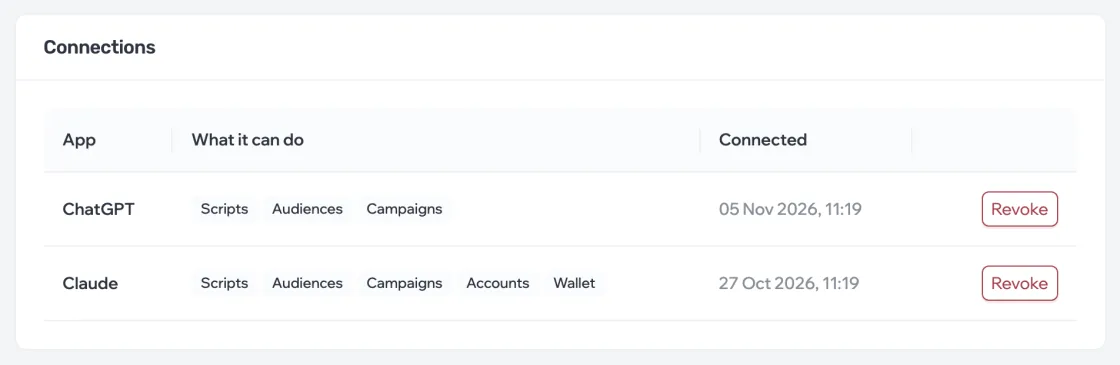
In the MCP section, the Connections block lists each app: what it can do and when it was connected.
What an app can do
Permissions are split by dashboard section: campaigns, scripts, audiences, accounts and the wallet. Read means view only; write means create and change.
| Permission | What it allows |
|---|---|
| Campaigns: read | View campaigns, their dialogs and audience reports |
| Campaigns: write | Create and change campaigns, start and stop them |
| Scripts: read / write | View scripts / create and change scripts |
| Audiences: read | View lists, contacts and variables |
| Audiences: write | Create and change lists, import contacts, run checks and parsing |
| Accounts: read | View accounts and their state |
| Wallet: read | Balance, tokens and transaction history |
Revoke access
- In the Connections block, click Revoke next to the app.
- Confirm. Access is cut off immediately: the assistant can no longer work with the dashboard until you connect it again.