Top up the wallet
A top-up is an amount in US dollars and a payment method. After payment the money appears in your wallet on its own.
Top up
- In the Wallet section, click Top up.
- Enter the amount in dollars. If there are several payment methods, choose one.
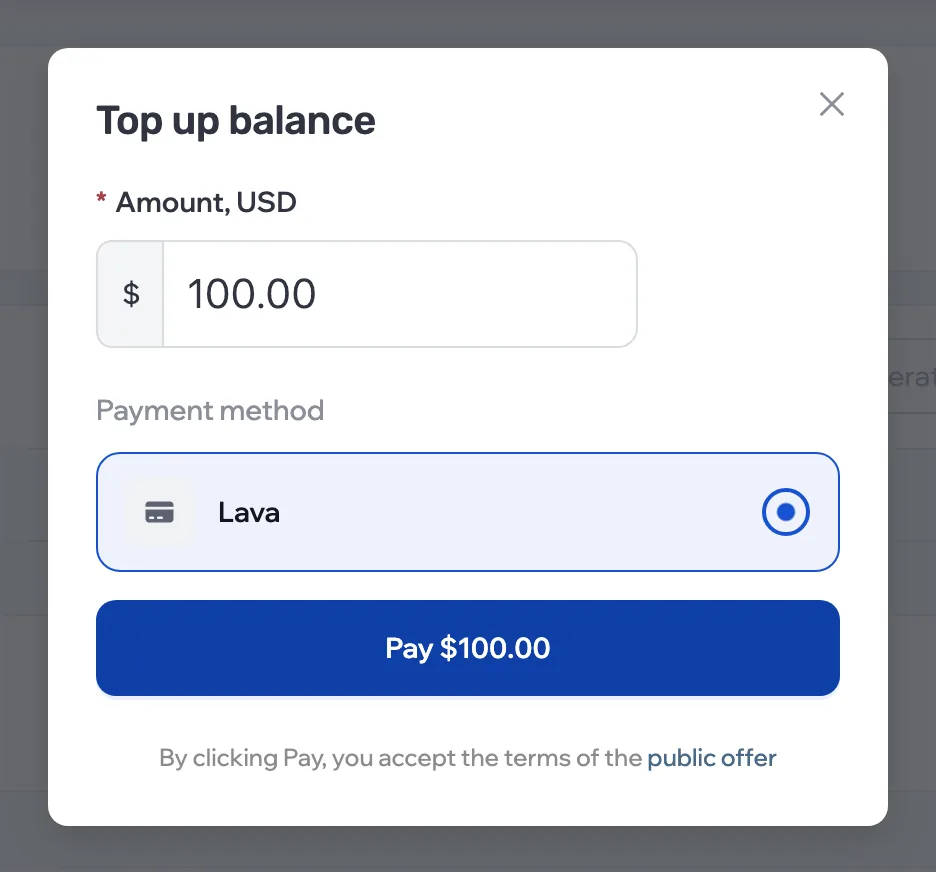
- Click Pay and complete the payment on the payment service’s page.
Payment methods depend on the country in your profile:
| Country | How to pay |
|---|---|
| Russia | With a Russian bank card, in rubles at the current rate — the ruble amount is on the button |
| Other countries | By Visa, MasterCard or MIR card, or with crypto: USDT, BTC, ETH |
By clicking Pay, you accept the terms of the public offer.
Paying requires a confirmed email. If you don’t have one yet, the dashboard asks you to link it before payment.
After payment
You return to a confirmation page: it waits for the payment service’s response and updates by itself.
- Payment successful
- The money is in your wallet, and the bell shows a “Wallet topped up” notification.
- Payment failed
- Nothing was charged. Try again or choose another method.
- Confirmation is taking longer
- The service didn’t respond in time. If you were charged, the status updates later and the wallet is topped up automatically.