Deal with restrictions
A restriction pauses one of the account’s actions. Usually it’s protection: the account rests so Telegram doesn’t ban it. You don’t need to lift restrictions by hand — they expire on their own.
Where to look
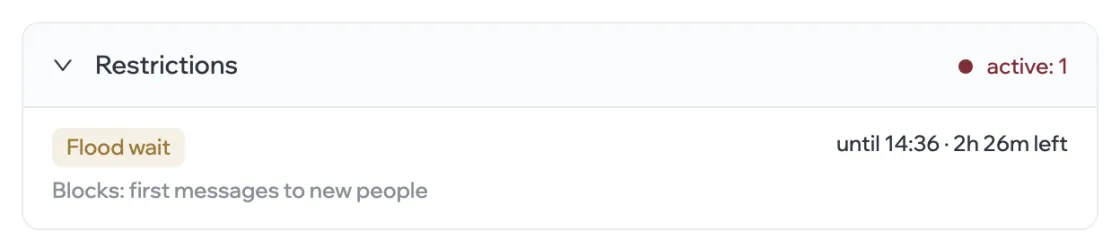
A restricted account has the Restricted status. In its card, the Restrictions section shows exactly what is paused and how long is left.
Types
| Restriction | Where it comes from | When it ends |
|---|---|---|
| Flood wait | Telegram asked the account to wait before repeating an action | When the time runs out — it’s shown in the card |
| Account restriction | The account has used up its safe action limit for the period | When the limit recovers — the time is shown in the card |
| Account not ready | The account isn’t suitable for this action yet | No end date — it’s lifted once the cause is gone |
The Blocks line shows which action is paused — for example, “first messages to new people”. If it says “all actions”, the account is resting completely.
What happens to the campaign
While a restriction is in effect, the campaign doesn’t give the account the blocked action and keeps working with the other accounts. Once the time is up, the account goes back to work by itself.
If almost all of a campaign’s accounts are restricted, sending slows down until the restrictions expire.
A Telegram ban
If Telegram bans an account, its status is Banned and the card says “Account banned by Telegram”.
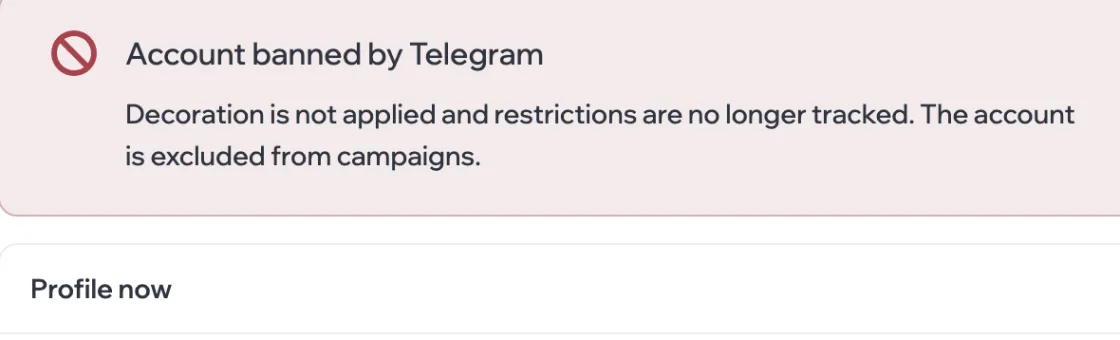
- The account is excluded from all campaigns, and profile setup is no longer applied to it.
- In the package it’s marked “Banned, excluded” and isn’t charged for when you renew.